

Thimble Raceway
Driving
Drive the little steam train, stop on the mark and keep to the timetable.
Picked for you: switch lists to find your next game
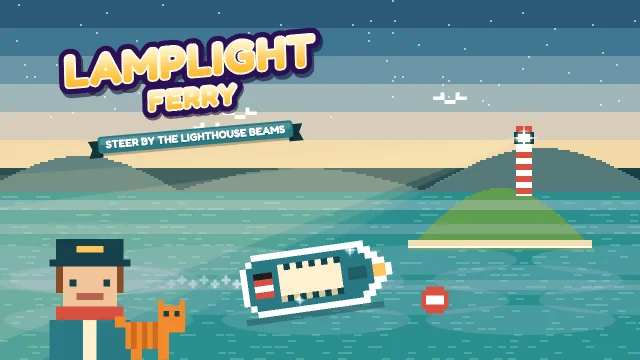 Up nextDrivingLamplight FerryA boat driving game in the fog: steer by lighthouse beams and reach every pier before night. Play now
 Glowtrail DriftDriving
 Origami RallyDriving
 RacetrackDriving
 ScribblewispDriving
 Copper Coast PatrolDriving
 MistshiftDriving
 Pebble Peak TrialsDriving
 Breezy Bay TaxiDriving
 PootlemereDriving
 BristlebuggyDriving
 Coloring Book OnlinePuzzle
 Gelato RushDriving
 Bobbin BaySimulation
 HurtlebraeDriving
 Clatterfield DerbyDriving
 Pick-up SticksSports
 Four in a RowBoard
 Word SearchWord
 TiddlywinksBoard
 CurdlecombeClicker
 Turkish DraughtsBoard
 BeziqueCard
 Moodcrumpeteducational
 BogwinchDriving
Also called steam train game, train driver game, train stopping game, railway timetable game, pixel train game.
Puffton Line is a free train driving game online in cheerful pixel art. Bea drives the little red steam train of Puffton through the countryside. Hold GO to build up speed and BRAKE to slow down, and try to stop with the engine right on each platform's mark so the passengers can climb aboard, on time by the timetable. Keep under the numbers on the speed signs, wait for red signals to turn green, and toot the whistle to shoo sheep off the line. Nothing ever crashes: the train stops itself at a red signal or in front of sheep. There are 30 routes on three lines, the gentle Valley Line, the Coast Line with its wandering sheep and the Hill Line with slopes up and down, and each route earns up to three stars for good timekeeping, careful speed and neat stops. A music-hall march plays along, distance call-outs help you brake, and the route picker works by keyboard.
Hold the right arrow (or D, or the GO pedal) to speed up and the left arrow (or A, or BRAKE) to slow down. Stop with the engine on the yellow mark: the gauge at the bottom shows how far it is, and a perfect stop is within a metre. If you go past, hold brake once stopped to back up. Press W, Space, ↑ or TOOT to whistle. Leave each station with GO when the passengers are aboard and it is time. P or Esc pauses and resumes. On the menu, C opens the route picker (arrows choose, Enter drives, Esc closes).
| Action | Keyboard | Touch |
|---|---|---|
| Go | →D | GO pedal |
| Brake (hold when stopped to back up) | ←A | BRAKE pedal |
| Whistle | WSpace↑ | TOOT button |
| Choose a route (menu) | CArrowsEnter | Tap a route |
| Pause / resume | PEsc | — |
| Mute (menu) | M | — |
No. At a red signal or in front of sheep the train stops itself gently, so the game never punishes you with a crash.
Be on time at least at half the stations to pass and open the next route. On time everywhere gives two stars; add no speeding and good stops for three.
Thirty, on three lines of ten: the Valley Line, the Coast Line with sheep and the Hill Line with slopes, where uphill is slower and downhill is faster. Stations, signals and speed limits grow along the way.
When you are more than half a minute late, a button can jump the train to the next station on time (the route then counts for one star).
Yes. Bea's lines, speed limits, signals and distance call-outs to the platform mark (100, 50, 20 and 5 metres) are read out, and the route picker works with the arrow keys.
Yes. Puffton Line is free to play on Nexora Play, with no download and no sign-up needed.
Yes. It runs in the browser on computers, tablets and phones, with touch controls on phones and tablets. You can also add Nexora Play to your home screen like an app.
No. You can play as a guest and your best scores are kept in this browser. A free account (13+) keeps your progress across devices.

