Stork Scramble
Sports
Lantern-lit pond hockey with the Pudus: skate, pass and shoot.
Picked for you: switch lists to find your next game
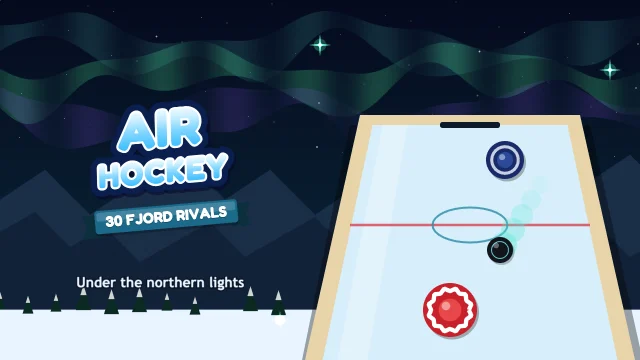 Up nextSportsAir Hockey OnlineIce-table showdowns against 30 rivals under the northern lights. Play now
 ShimmybackSports
 Paddle Tennis GameSports
 Lounge Car Table TennisSports
 ThwackettSports
 CurlingSports
 Jelly KickoffSports
 CroquetSports
 BocceSports
 Skipshot IslesSports
 Bean Bag TossSports
 Darts Game OnlineSports
 Iceberg FlipsSports
 Bowling Game OnlineSports
 ShuffleboardSports
 Stardrift GolfSports
 Pick-up SticksSports
 Four in a RowBoard
 Word SearchWord
 TiddlywinksBoard
 CurdlecombeClicker
 Turkish DraughtsBoard
 BeziqueCard
 Moodcrumpeteducational
 BogwinchDriving
Also called 2 player hockey game, pond hockey game, arcade hockey game, ice hockey game online, hockey game for two players.
Sprucepuck is a real-time arcade hockey game, a lantern-lit pond hockey game played on frozen forest ponds at night. You play the Sprucewood Pudus, a team of tiny deer, against nine rival mascot teams across 36 matches in three leagues. You control the skater nearest the puck, switching automatically. Skate with arrows or WASD, hold Space to charge a shot and let go to fire, Shift or X to pass, and Z to poke-check. The first three matches have one skater a side to teach the basics, then two skaters a side. Pinecone Pond is the start, Birchfold Tarn adds snow patches that slow the puck, and Midnight Mere is glassy black ice with three periods. A tie goes to golden-goal overtime. A win earns up to three stars and unlocks the next match. A daily match is the same for everyone each day, and the two-player mode makes it a 2 player hockey game for two people on one keyboard.
Arrows or WASD skate. Hold Space to charge a shot and let go to fire; a longer hold is a harder shot. Shift or X passes to your teammate. Z poke-checks to knock the puck off a rival. T changes game speed and G toggles auto-aim. P or Esc pauses, R restarts. In two-player mode, the left player uses WASD and Space, the right player uses arrows and Enter.
| Action | Keyboard | Touch |
|---|---|---|
| Skate | ArrowsWASD | Drag on the left of the rink |
| Shoot | Hold Space, let go to fire | Hold SHOOT, let go to fire |
| Pass | ShiftX | PASS button |
| Poke-check | Z | POKE button |
| Game speed and auto-aim | TG | — |
| Pause or restart | PEscR | — |
A win gives one star, a clean sheet (no goals against) gives a second, and scoring three goals or more gives a third. Points for a win are 300, plus 100 per goal up to 15 goals, plus 250 for a clean sheet, plus 150 per star. The most points a match can give is 2500.
Yes. The FRIENDS button starts a two-player match on one keyboard. The left player, the Pudus, uses WASD to skate, Space to shoot, left Shift or X to pass, and Z to poke. The right player, the Snow Leopards, uses arrows to skate, Enter to shoot, right Shift or full stop to pass, and slash to poke.
There are three leagues of 12 matches each. Pinecone Pond (matches 1 to 12) has two periods of 45 seconds. Birchfold Tarn (13 to 24) has two periods of 50 seconds and snow patches that slow the puck. Midnight Mere (25 to 36) has three periods of 40 seconds on glassy black ice where the puck glides further.
Yes. On keyboard, arrows or WASD skate, hold Space to shoot, Shift or X passes, Z poke-checks, T changes speed, G toggles auto-aim, P or Esc pauses, and R restarts. On touch, drag on the left of the rink to skate, and use the SHOOT, PASS and POKE buttons.
Yes. Sprucepuck is free to play on Nexora Play, with no download and no sign-up needed.
Yes. It runs in the browser on computers, tablets and phones, with touch controls on phones and tablets. You can also add Nexora Play to your home screen like an app.
No. You can play as a guest and your best scores are kept in this browser. A free account (13+) keeps your progress across devices.